
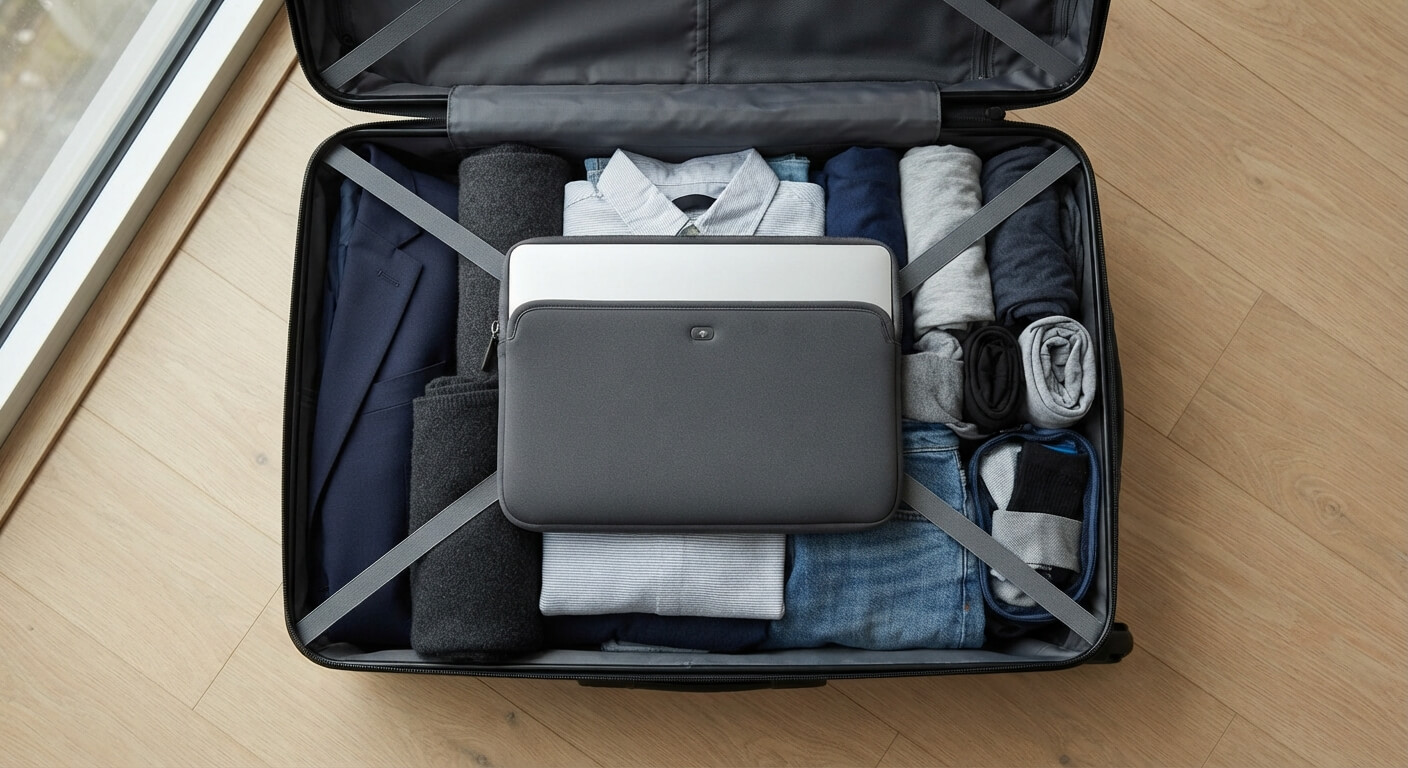
Can you put a laptop in a checked bag when flying? Yes, most airlines allow it. But rules can vary. It depends on the airline and your battery type. Still, keeping it in your carry-on is often the safer bet.
Laptops contain lithium-ion batteries that can overheat if damaged. Checked bags also face risks of rough handling, theft, or loss.
This guide covers airline rules and packing tips. You will also learn why a carry-on is often the better pick.
Can You Put a Laptop in a Checked Bag?
Technically, yes—but with major conditions. The rules depend on whether the battery is installed inside the laptop or loose.
Are Laptops Allowed in Checked Luggage?
Many airlines say yes. But you must follow battery safety rules. Some airlines are strict. Check your airline’s policy first. Make sure your battery is not damaged. It should not be swollen or recalled. A carry-on is still the safer choice.
What Do Airlines Say About Laptops in Checked Bags?
Most airlines want laptops in the cabin. Why? Lithium-ion batteries can catch fire. The FAA says keep devices easy to reach. CATSA says check your airline’s rules. Always look at your airline’s bag policy before you pack.
Is It Better to Carry a Laptop in Your Hand Luggage?
Yes, carrying your laptop in hand luggage is generally safer and more convenient. It protects your device from rough handling, theft, and potential damage. You can also access it whenever needed, making it ideal for work, study, or travel.
Why Is Putting a Laptop in Checked Luggage Risky?
Checking a laptop may seem easy when your carry-on is full. But it comes with real risks. Here are the main ones.
Lithium-Ion Battery Fire Risks
Most laptops today use lithium-ion batteries. These batteries can get too hot. They can also catch fire if they are damaged or faulty. A fire in the cargo hold is hard to spot. Crew members cannot reach it fast. That is why aviation authorities say to keep laptops in hand luggage when you can.
Damage From Baggage Handling
Checked bags get dropped and stacked. They get squeezed during the trip. This can harm your laptop’s screen, keyboard, hinges, or battery. Hits can also cause screen problems. You may see cracked screens or dead pixels. A padded sleeve helps a little. But carrying your laptop with you lowers the risk of damage.
Theft or Loss of Your Laptop
Checked bags can be delayed or lost. They can also be stolen in transit. Losing a laptop can expose your photos and private files. It can also expose saved passwords and work data. Keep your laptop in your carry-on bag. This lowers the risk of theft or loss. It also keeps your device safe during your trip.
Risk of Losing Important Data
If your laptop is lost or broken, you may lose your files. Back up your documents before you travel. Use a secure cloud service or an external drive. Turn on device encryption. Use a strong password to protect private data. Regular backups help you get your files back if something goes wrong.
What Are the Airline Rules for Laptops in Checked Bags?
The short answer: yes, but most aviation groups advise against it. If you do check a laptop, safety rules apply. Some parts of your laptop are banned from checked bags.
TSA Rules for Laptops in Checked Baggage
The TSA allows laptops in carry-on and checked bags. But “allowed” does not mean “safe.”
Screeners may need to look at your laptop. This happens if it sets off an alarm. If they cannot clear the bag without you, delays can follow. Your bag may even miss your flight.
FAA Rules for Devices With Lithium Batteries
The FAA controls the battery, not just the laptop. Lithium-ion batteries can get too hot. They can also enter “thermal runaway.” This is a chain reaction that can cause a fire. This can happen if the battery is damaged or packed poorly.
If a laptop must go in checked baggage, FAA rules require:
- Completely powered off (not sleep or hibernation mode)
- Protected from accidental activation (padded or secured so buttons cannot be pressed)
- Protected from damage (cushioned to prevent crushing)
The FAA prefers carry-on. Cabin crew are trained to handle battery fires. This cannot happen in the cargo hold.
International Airline Regulations
Global rules mostly match US standards. This comes through IATA and ICAO guidance. But single airlines can set stricter limits.
- IATA’s global campaign says: “Always carry phones, laptops, cameras… in your hand baggage, not in checked baggage.”
- International flights may have different watt-hour limits or quantity rules by country.
- Always check with your airline before you fly. Their policy beats general guidance.
Rules for Removable and Spare Laptop Batteries
There is a big difference between an installed battery and a spare one.
- Installed battery: A laptop with its battery inside may be accepted in checked bags under set conditions. But carry-on is preferred.
- Spare laptop battery: Spare lithium batteries must go in the cabin. Exposed terminals must be protected from short circuits.
- Power bank: A power bank counts as a spare lithium battery. It must go in cabin baggage. Capacity limits and airline rules apply.
Never put a spare lithium battery or power bank in your checked suitcase. Do this only if a relevant aviation authority clearly permits that exact item.
Can You Put a Laptop in Checked Luggage on an International Flight?
Yes, some international flights allow laptops in checked bags. But you must follow the rules. These rules come from your airline and aviation authorities.
Traveling From the United States
US rules usually allow laptops in checked bags. The battery must be installed. It must be 100 Wh or less. The laptop must be fully switched off. It must also be protected from damage. Spare batteries and power banks must go in carry-on bags. Keep your laptop in the cabin if you can. The crew can react faster to battery problems.
Traveling From Canada
Canadian rules may limit laptops in checked bags. This also applies to other devices with lithium batteries. Keep your laptop in carry-on when you can. Check your airline’s current battery safety rules before you fly. Also check onboard charging policies. Rules can differ between carriers.
Traveling From the United Kingdom
UK guidance says to keep laptops in hand luggage when you can. This applies to laptops with lithium-ion batteries. Damaged or faulty batteries can overheat. This can cause a fire risk during a flight. Airline rules may differ on battery capacity and device limits. Check your carrier’s latest baggage policy before you travel.
Traveling Internationally With Connecting Flights
Connecting flights can mean different airline policies. Battery safety rules can differ too. If your carry-on must be gate-checked, remove spare lithium batteries and power banks. Keep them in the cabin. Check the rules for every airline on your trip. Limits can vary between countries and carriers.
How to Check Your Airline’s Baggage Policy
Follow these steps before packing your device:
- Visit your airline’s official website.
- Find the baggage restrictions or dangerous goods section.
- Review the rules for laptops and lithium-ion batteries.
- Check any battery capacity limits and special requirements.
- Contact customer support if the policy is unclear.
Confirm the rules shortly before departure because airline policies can change.
How to Pack a Laptop Safely if You Must Check It
If your airline allows a laptop in checked bags and you have no other choice, follow these steps.
1. Back Up Important Files Before Traveling
Back up your files before you travel. This protects you if your laptop is lost or damaged. Upload documents to Google Drive, iCloud, or Dropbox. Or copy them to an external drive kept in your carry-on. A secure backup lets you reach key files if something happens to your laptop.
2. Shut Down the Laptop Completely
Shut your laptop down fully before packing. Do not use sleep mode or hibernation. This helps stop accidental activation and overheating in transit. If your device has a physical battery switch, turn it off too. A full shutdown lowers battery risks during travel.
3. Protect the Laptop With a Padded Sleeve
Put your laptop in a snug, padded sleeve. This shields it from bumps and pressure on the trip. Do not pack it loosely in your suitcase. Movement can harm the screen or inner parts. For more cushioning, wrap the sleeve in soft clothes. But do not put heavy items on top.
4. Place It in the Center of a Well-Padded Suitcase
Place your laptop in the middle of your suitcase. Surround it with soft clothes or towels. Keep it away from edges and corners. Impacts are more likely there. Hard-shell luggage can add extra crush protection. But good padding is key with any suitcase.
5. Keep It Away From Liquids and Heavy Objects
Keep your laptop away from liquids and heavy items. Leaking toiletries can cause water damage. Shoes, books, or other heavy items may crack the screen. Store liquids in sealed bags. Place heavy items away from your laptop to cut the risk of damage in transit.
6. Check Airline Requirements for Installed Batteries
Airline rules for laptops in checked bags can differ. Many carriers allow installed lithium-ion batteries under 100 Wh. The device must be fully switched off and protected from damage. Before you fly, confirm your airline’s battery limits and packing rules. Also check if you need extra paperwork or declarations.
7. Remove Spare Batteries and Power Banks
Always pack spare lithium batteries in your carry-on bag. Do the same with removable laptop batteries and power banks. Never put them in your checked suitcase. These items can cause a fire if damaged or short-circuited. If you bring a power bank to charge your phone, keep it in your cabin bag. Follow your airline’s battery capacity limits.
Can You Put a Laptop Charger in Checked Luggage?
Yes, a standard laptop charger and its cables can usually go in checked bags. Airline rules apply. A regular charger has no battery inside. That makes it different from a power bank.
Packing Laptop Chargers and Cables
Laptop chargers, power adapters, and charging cables can generally go in checked bags. Wrap the cables neatly. Store the charger in a protective pouch to stop damage. Keep heavy items away from the adapter and connectors. You can also pack these accessories in your carry-on bag. That way, you can reach them during your flight.
Can You Pack a Power Bank in Checked Luggage?
No. Power banks hold lithium batteries. Under standard aviation safety rules, they must go in cabin baggage.
Keep the power bank within reach. Protect it from accidental activation and damage. Check its capacity against your airline’s limits.
What if your carry-on bag is taken at the gate and put in the hold? Remove the power bank first. Keep it with you in the cabin.
Can You Put a Spare Laptop Battery in Checked Baggage?
No. Spare lithium-ion laptop batteries generally cannot go in checked bags. They must travel in the cabin. Their terminals must be protected from short circuits.
Does your laptop have a removable battery? If you plan to bring an extra one, pack the spare battery on its own. Use a proper protective case.
Always check the capacity limits and airline rules before you fly.
Laptop in Carry-On vs. Checked Baggage
The short answer: carry your laptop on board. A checked bag puts your device at risk from rough handling, theft, and extreme temperatures. Here’s how the two options compare.
| Factor | Carry-On Baggage | Checked Baggage |
| Battery safety | Preferred—flight crews are trained to handle lithium battery fires in the cabin | Subject to restrictions—must be completely powered off, not in sleep mode |
| Regulatory status | TSA permits laptops in carry-on | TSA permits laptops in checked bags, but FAA strongly recommends carry-on |
| Physical protection | Easier to monitor | Greater handling risk—bags are thrown and stacked |
| Theft or loss | Lower risk—stays with you | Higher risk—out of sight, easy target |
| Access during travel | Available | Not accessible |
| Recommended option | Yes | Avoid if possible |
For most travelers, keeping a laptop in hand luggage offers the best balance of safety, convenience, and protection.
What Should You Do Before Flying With a Laptop?
A little preparation can prevent common problems when traveling with electronic devices.
Use this checklist before heading to the airport:
- Check your airline’s current laptop and battery rules.
- Back up important files and documents.
- Shut down the laptop before packing it.
- Keep the laptop in a padded sleeve.
- Carry your laptop in your cabin bag whenever possible.
- Check restrictions for spare batteries and power banks.
- Avoid traveling with damaged, swollen, or recalled batteries.
- Keep your laptop accessible for security screening if required.
- Secure your device with a strong password and encryption.
If your laptop battery appears swollen, becomes unusually hot, or shows other signs of damage, do not pack it for air travel. Contact the airline for guidance.
What Happens if You Put a Laptop in Checked Baggage?
Your airline may allow laptops in checked bags. If your device meets the safety rules, it may travel in the cargo hold with no problem.
However, several outcomes are possible:
- The laptop arrives safely: Proper packing and careful handling can reduce the chance of damage.
- The laptop is damaged: Pressure or impact may harm the screen, body, or inner parts.
- The luggage is delayed or lost: You may lose access to your device for a while, or for good.
- The airline refuses the item: If the laptop breaks its baggage policy, you may need to remove it. Or you may need to find another option.
Did your laptop arrive damaged? Take photos of the damage and the suitcase before you fix anything. Tell the airline as soon as you can. Keep your boarding pass, baggage tag, and receipts.
Is the laptop missing? Report the missing bag right away. Then follow the airline’s claim steps.
Frequently Asked Questions About Laptops in Checked Bags
Can You Put a Laptop in a Checked Bag on a Plane?
Yes, many airlines allow laptops in checked bags. But rules apply. Carry-on is still the better choice. It keeps your device safe and within reach. Always check your airline’s rules.
Is It Illegal to Put a Laptop in Checked Luggage?
No, it is not always illegal. It depends on the airline’s policy and aviation rules. Some carriers set stricter limits than others.
Why Are Laptops Recommended in Carry-On Bags?
Laptops hold lithium-ion batteries. These can overheat or catch fire if damaged. In the cabin, crew can spot and handle battery issues fast. Carry-on bags also cut the risk of rough handling and loss.
Can You Put a Laptop in Checked Baggage on an International Flight?
Yes, some international airlines allow laptops in checked bags if you meet their rules. But rules vary by country and carrier. Check every airline on your trip before you leave.
Can You Put a Laptop With a Lithium Battery in Checked Luggage?
A laptop with an installed lithium battery may be allowed in checked bags under set rules. In the US, the FAA says it must be fully switched off. It must also be protected from accidental activation and damage. Carry-on is still preferred.
Can You Put a Laptop Charger in Checked Baggage?
Yes, a standard laptop charger and cable can usually go in checked bags. A power bank is different. It holds a battery and must go in the cabin under standard rules.
Can You Put a Laptop Power Bank in Checked Luggage?
No. Power banks with lithium batteries must go in cabin baggage. Protect the terminals. Stop accidental activation. Follow the airline’s capacity limits.
Should I Remove My Laptop Battery Before Checking My Bag?
You usually do not need to remove an installed battery if your airline allows the laptop in checked bags. Never put a removed spare lithium battery in checked luggage. Carry it in the cabin with its terminals protected.
Can Airport Security Open My Checked Bag if It Contains a Laptop?
Yes. Airport security may inspect checked bags when screening rules require it. Follow your airline and airport’s instructions. Do not pack banned items or restricted batteries in your suitcase.
What Is the Safest Way to Travel With a Laptop?
The safest option is to carry your laptop in a padded sleeve inside your cabin bag. Keep it safe from pressure. Shut it down when required. Back up key files. Carry spare batteries and power banks under airline rules.
Conclusion
So, can you put a laptop in a checked bag? Yes, many airlines allow it under certain conditions. But your hand luggage is generally the safer choice.
What if checking your laptop is your only option? Follow your airline’s rules. Shut it down completely. Protect it with proper padding. Always keep spare lithium batteries and power banks in your carry-on bag.
These simple steps can help protect your laptop from damage and loss. They can also lower battery-related safety risks.